

How to Master Game Controls Quickly in 2026

Microespana Admin
February 12, 2026
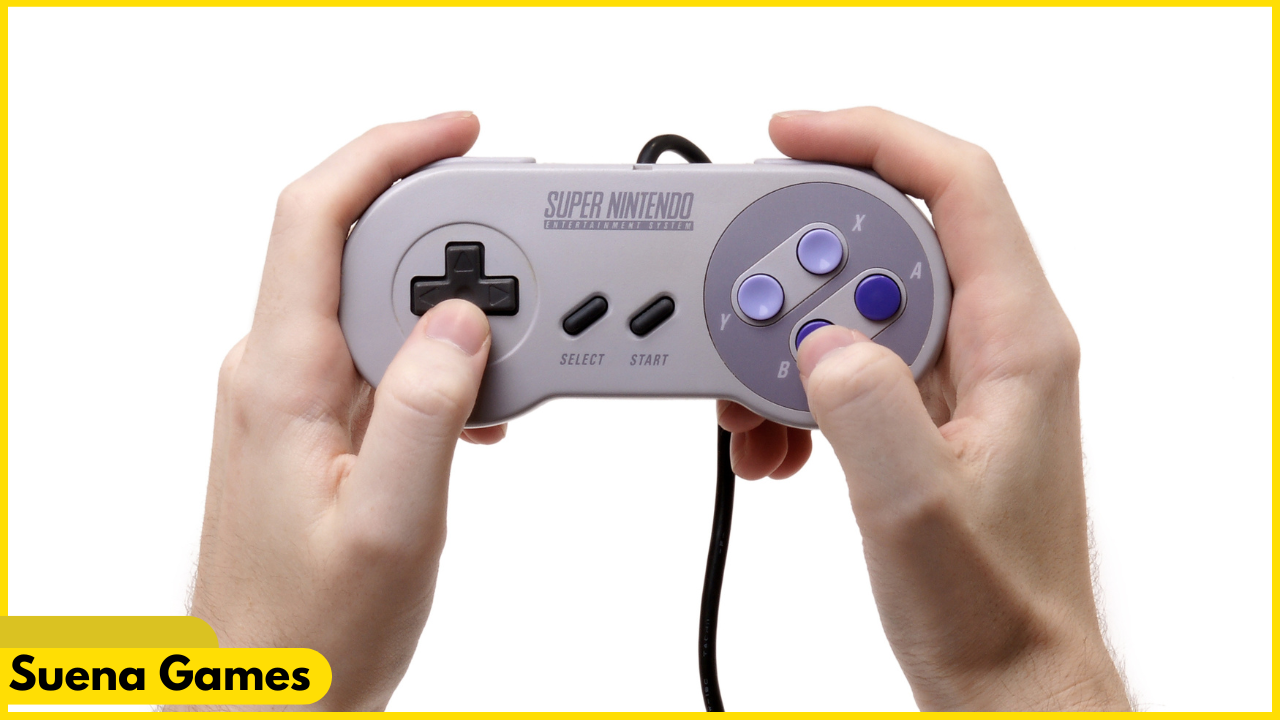
Mastering game controls is one of the fastest ways to improve your performance and enjoyment in any game. In 2026, games span multiple platforms, input devices, and control schemes, making it more important than ever to adapt quickly.
Whether you’re playing on keyboard and mouse, controller, touch screen, or hybrid setups, learning controls efficiently saves time and reduces frustration. Check More Here: How to Find Cheats for Online Games in 2026
This guide explains how to master game controls quickly in 2026 using practical techniques, smart settings, and training habits that work for beginners and experienced players alike.
Why mastering controls matters more than ever
Modern games are faster, more complex, and more competitive. Poor control familiarity leads to missed actions, delayed reactions, and unnecessary mistakes.
When controls feel natural, your focus shifts from pressing buttons to making decisions. This is the foundation of good gameplay.
Understand the control philosophy of the game
Every game is designed with a control philosophy in mind. Some prioritize precision, others speed or simplicity.
Before jumping in, look at how the game expects you to move, aim, interact, and manage abilities. Understanding this intent helps you adapt faster.
Start with default controls before customizing
Many players rush to customize controls immediately. In most cases, default controls are tested and optimized for general use.
Spend some time with default settings first. Once you understand what feels uncomfortable, make targeted adjustments instead of changing everything at once.

Use in-game tutorials and practice modes
Tutorials and training modes are designed to teach controls gradually. Skipping them often slows learning later.
Practice modes let you repeat actions without pressure, helping your hands learn movements naturally.
Focus on core actions first
You don’t need to master every control immediately. Start with the most important actions:
- Movement
- Camera or aiming
- Primary actions
- Basic interactions
Once these feel natural, secondary abilities become much easier to learn.
Customize controls for comfort and ergonomics
In 2026, most games offer advanced customization. Adjust controls to reduce finger strain and awkward hand positions.
Comfortable controls improve speed, accuracy, and endurance during longer sessions.
Adjust sensitivity and response settings
Sensitivity settings dramatically affect control mastery. Too high causes overshooting, too low causes slow reactions.
Gradually adjust sensitivity until movements feel precise and controlled.
Disable unnecessary control complexity
Some games enable advanced options by default. If you’re learning, simplify controls where possible.
Reducing complexity helps build muscle memory faster.
Practice in short, focused sessions
Short practice sessions are more effective than long, unfocused ones. Consistent repetition builds muscle memory efficiently.
Ten to twenty minutes of focused control practice can outperform hours of casual play.
Use visual and audio cues to reinforce learning
Many games provide cues for actions and timing. Paying attention to these reinforces correct input timing.
This accelerates learning without conscious effort.
Watch gameplay with control awareness
Watching skilled players helps you understand how controls flow together.
Pay attention to how they move, aim, and transition between actions smoothly.
Train muscle memory deliberately
Muscle memory forms through repetition. Repeating the same actions in controlled situations speeds up mastery.
Avoid random play when learning controls. Purposeful repetition works best.
Switch input devices only if necessary
Switching from controller to keyboard or vice versa resets muscle memory. Stick to one input device while learning.
Once mastered, transitioning becomes easier.
Use accessibility options to your advantage
Accessibility settings are not cheats. They help players interact with controls more effectively.
Options like remapping, hold-to-toggle, visual indicators, and audio feedback can dramatically improve learning speed.
Learn one game genre at a time
Control mastery transfers better within genres. Learning multiple genres at once can slow progress.
Focus on one type of game before branching out.
Reduce distractions while learning controls
Notifications, background apps, and multitasking interfere with focus. A calm environment improves learning speed.
Focused attention accelerates mastery.
Accept mistakes as part of learning
Mistakes are unavoidable when learning controls. Frustration slows progress, while patience speeds it up.
Every error teaches your brain what to correct next time.
Use warm-up routines before competitive play
Warming up refreshes muscle memory. Simple drills prepare your hands and mind for precise control.
Many top players use warm-ups consistently.
Avoid constantly changing settings
Frequent changes prevent muscle memory from forming. Once settings feel acceptable, stick with them.
Consistency is key.
Track improvement instead of perfection
Progress is gradual. Notice improvements in comfort and confidence rather than expecting instant mastery.
Small gains compound quickly.
Why control mastery improves overall gameplay
When controls feel automatic, decision-making improves. You react faster, aim better, and stay calm under pressure.
Control mastery is the foundation of skill growth.
Control mastery trends in 2026
Games in 2026 offer smarter tutorials, adaptive controls, and AI-assisted learning features.
These tools make mastering controls faster and more accessible than ever.
Conclusion
Mastering game controls quickly in 2026 is about understanding design, practicing deliberately, and optimizing comfort. By starting with core actions, using tutorials, customizing wisely, and practicing consistently, players can build strong muscle memory in less time. Control mastery reduces frustration and unlocks true enjoyment in gaming. For guidance on player experience, fair play standards, and accessibility considerations in games, you can also explore official resources available at https://www.esrb.org.
FAQs
How long does it take to master game controls?
Basic mastery can take hours, while full comfort develops over days or weeks of practice.
Should I customize controls immediately?
It’s better to try default controls first, then make small adjustments.
Does sensitivity affect control mastery?
Yes, proper sensitivity settings greatly improve precision and comfort.
Are accessibility options helpful for learning controls?
Yes, they can significantly speed up learning without affecting fairness.
Can control mastery transfer between games?
Yes, especially within the same genre and input device.




Discussion